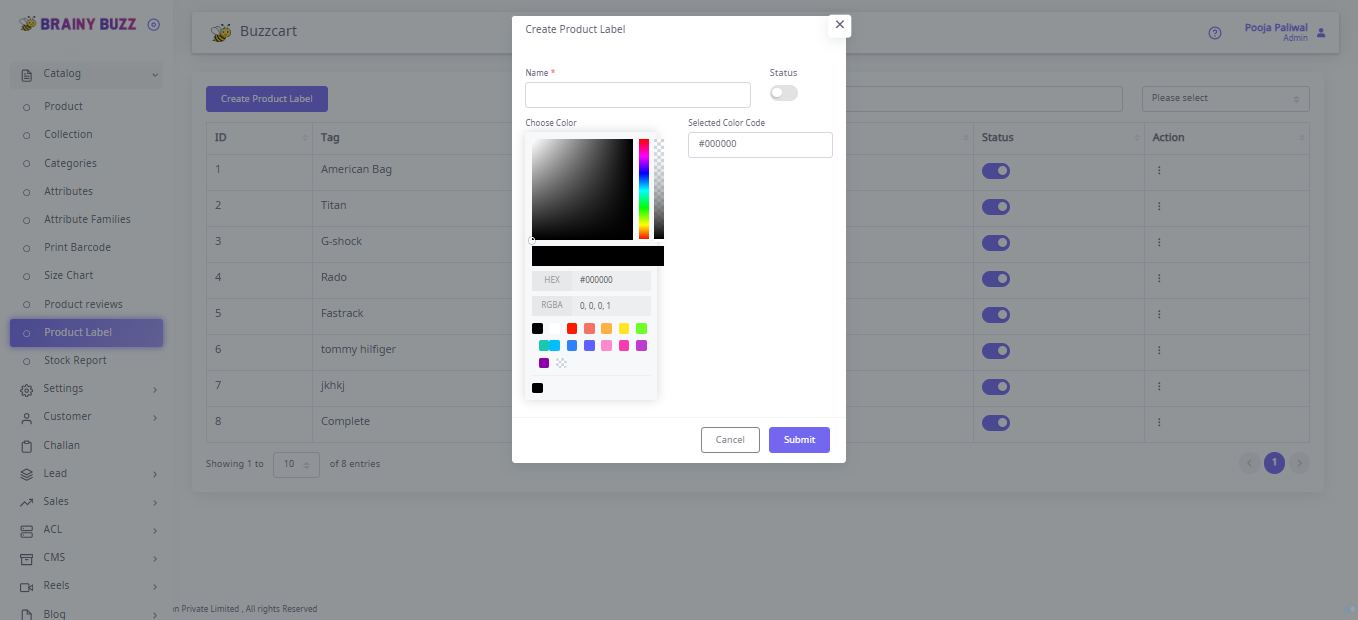
Product Label — Steps
Purpose
Create and manage product labels (tag + color + status) used across the catalog.
Steps
- Go to Catalog → Product Label.
- Click Create Product Label.
- In the modal:
- Enter Name (required).
- Pick a color from Choose Color or enter HEX in Selected Color Code.
- Toggle Status ON if active.
- Click Submit to save (or Cancel to discard).
- Confirm the new label appears in the table with its Tag and Status.
- Use the Action menu to edit or delete labels as needed.
Result
A product label is created and available for use in catalog management.